Edit PDFs.
Simple & Powerful.
Add text, images, signatures, stamps — merge, split, and export. Everything you need in one lightweight desktop app.
Free to start — 3 PDFs included
Everything You Need to Edit PDFs
No bloated software, no subscriptions. Just the tools you actually use.
Text & Image Overlay
Place text boxes and images anywhere on your PDF. Resize, rotate, and position with precision.
Signatures
Draw or upload your signature. Place it on contracts, forms, and documents in seconds.
Stamps & Annotations
Add date stamps, approval stamps, and custom annotations. Highlight important sections.
Merge PDFs
Combine multiple PDF files into one. Drag and drop to reorder pages as needed.
Split PDFs
Extract specific pages or split documents by page ranges. Export exactly what you need.
Page Management
Reorder, rotate, and delete pages from the sidebar. Full control over your document structure.
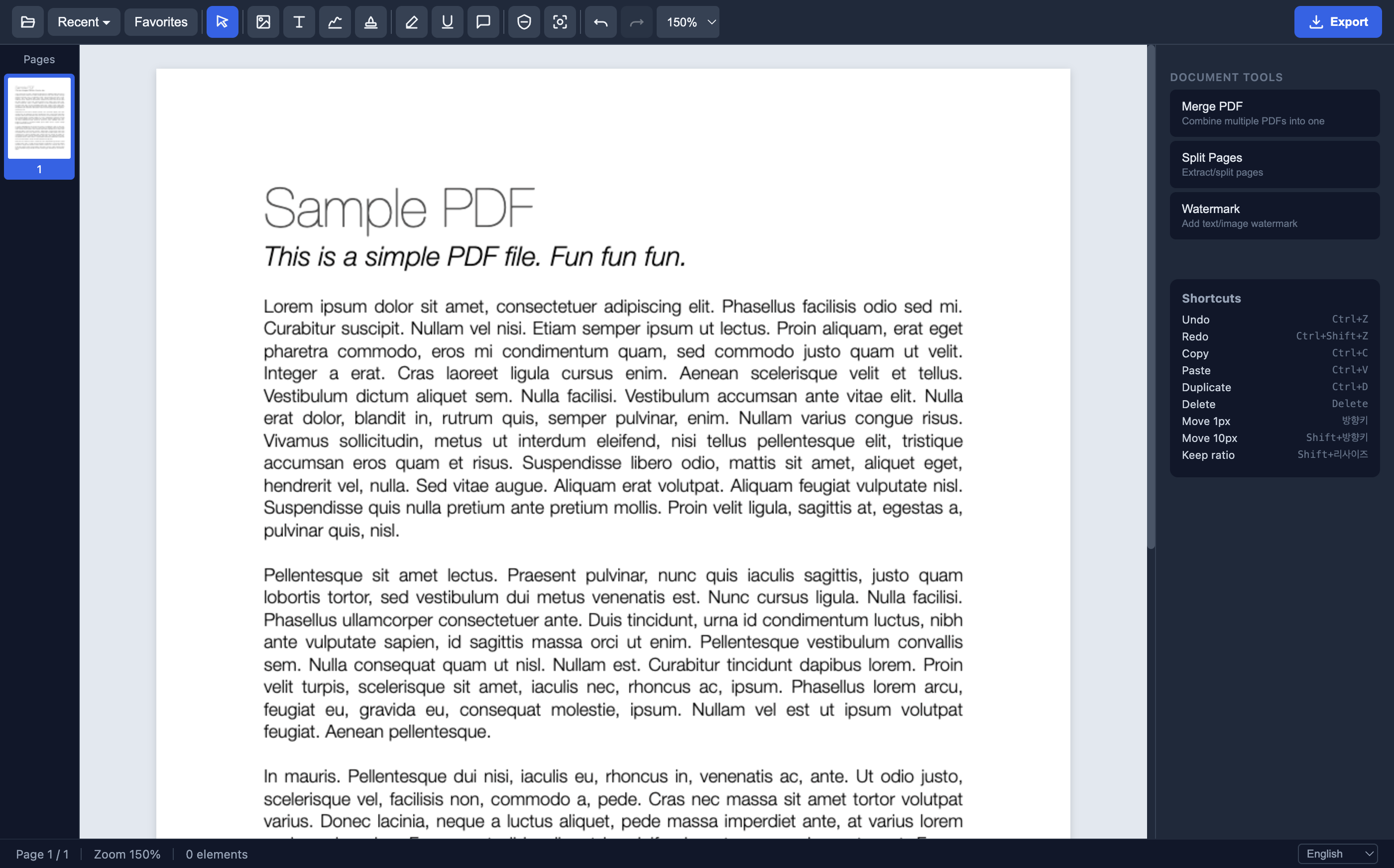
See It in Action
Clean interface, powerful editing tools, and instant results.
Clean, distraction-free PDF viewer with sidebar page navigation
Why OlivePDF?
Compare with other PDF editors and see the difference.
| Feature | ★OlivePDF | Adobe Acrobat | Others |
|---|---|---|---|
| Price | $3 one-time | $23/month | $10-20/month |
| Offline Usage | Yes | Yes | Sometimes |
| Signatures | Yes | Yes | Some |
| Merge & Split | Yes | Yes | Some |
| Stamps | Yes | Limited | Rarely |
| Multi-language | 11 languages | Limited | Varies |
| No Subscription | Yes | No | No |
Simple Pricing
Pay once, use forever. No subscriptions, no hidden fees.
Free
Try all features with 3 PDFs
- All editing features included
- 3 PDF files
- Signatures & stamps
- Merge & split
Lifetime
Unlimited PDFs, forever
- Everything in Free
- Unlimited PDF files
- 5 devices per license
- Lifetime updates
- Priority support
Frequently Asked Questions
Yes. One payment of $3 gives you lifetime access with unlimited PDFs on up to 5 devices. No subscription, no recurring charges.
Yes. OlivePDF is a desktop app that runs entirely on your computer. No internet connection required for editing.
OlivePDF is available for macOS and Windows. Download the version for your operating system from this page.
Yes. Each license supports up to 5 devices. Just enter the email you used for purchase to activate on any device.
You can still open and view PDFs, but editing features require a license. Purchase a lifetime license for just $3 to continue editing.
Yes. If you're not satisfied, contact us within 14 days for a full refund. No questions asked.
Start Editing PDFs Today
Download OlivePDF and edit your first PDF in under a minute.